BROWSER ARENA · PLAY INSTANTLY
Play Car-Soccer Online: Solo 1v1 & Multiplayer
Play car-soccer online in your browser and turn every touch into a chance to score. Drive into the arena, line up with the ball, and balance speed with control as you attack and defend.
The interactive arena loads when JavaScript is ready.
Choose a solo car-soccer match to learn the basics against a bot, or create a multiplayer room and invite friends with a six-character code. For practice between matches, custom maps offer ring routes and dribbling challenges that help you work on movement and ball control.
Start in the game window above. If you are new, spend a moment learning how to steer, slow down, and follow the ball before adding boost. The guide below covers the controls, room setup, practice options, and simple decisions that help you stay involved in the next play.
What Is Car-Soccer?
Car-soccer combines driving with the objective of soccer: move the ball into the opposing goal while protecting your own. Your vehicle is both your way around the field and your way to strike the ball. Where you make contact, the direction you face, and your speed all influence the next touch.
The challenge is to arrive in a useful position. A fast approach can create a powerful shot, but it can also carry you past the ball. A slower touch gives you more time to adjust and follow up. Watch the space between the ball and the goal, then choose whether to shoot, move the ball sideways, or return to defend.
How to Play Car-Soccer in Your Browser
To start your first car-soccer game, open the Play menu and choose solo 1v1. Select a bot difficulty that gives you time to learn. During the kickoff countdown, line up your approach to the ball. Aim for one controlled touch before using more boost or attempting a follow-up shot.
A solo car-soccer match uses a five-minute timer, with the score and remaining time shown in the HUD. Use your early games to learn how your car responds under pressure. After a goal, watch the short replay before the next kickoff. Notice the shooting angle, the final touch, and the space left by the defender.
For a fuller walkthrough, read the car-soccer controls and beginner guide. Return to the arena after each new technique and practice it in a short sequence instead of trying everything at once.
Car-Soccer Controls and Camera Basics
In solo play, use W for throttle, S for reverse, and A or D to steer. The right mouse button jumps, Ctrl activates boost, and Space switches ball cam. In online rooms, use WASD to drive, Ctrl or the left mouse button to boost, and Shift to powerslide. Check the Controls panel inside the active game for the available actions and bindings; solo play and online rooms use different arenas.
Begin with driving and steering. Approach the ball slowly enough that you can change direction before contact. Then add short boosts on a straight approach. Practice jumping separately so that you can recognize when your car leaves the ground and how it lands.
Ball cam helps you keep track of the ball as play moves around you. Switch camera views to understand where your car is pointing and how much space you have. Adjust camera preferences in Settings until the view feels comfortable. Make one change at a time so you can tell whether it helps.
Car-Soccer Multiplayer Rooms: Invite Your Friends
Car-soccer multiplayer rooms let up to five players join a shared session. Choose Room in the Play menu, then create a room or enter a friend's six-character code. Hosts can share the code or invite link. Check the roster to confirm who has connected before starting the match.
To enter an existing room, select Join room and type the code your friend provides. Check the live roster and connection status before starting to play. Seeing the page load is different from confirming that your player has joined the intended room, so use those indicators to check that everyone is together.
The goal feed identifies scoring events during the session. Between plays, agree on what you want to practice: controlled kickoffs, shots from an angle, or recovering after a missed challenge. If someone cannot join, compare the code character by character and confirm that the host still has the room open.
Car-Soccer Practice: Solo Matches and Custom Maps
Solo car-soccer practice helps you repeat the basic match loop: approach the ball, make a touch, recover your position, and respond to the bot. Pick one skill for each session. For example, spend a match slowing down before contact and checking whether your next touch stays within reach, even if you attempt fewer shots.
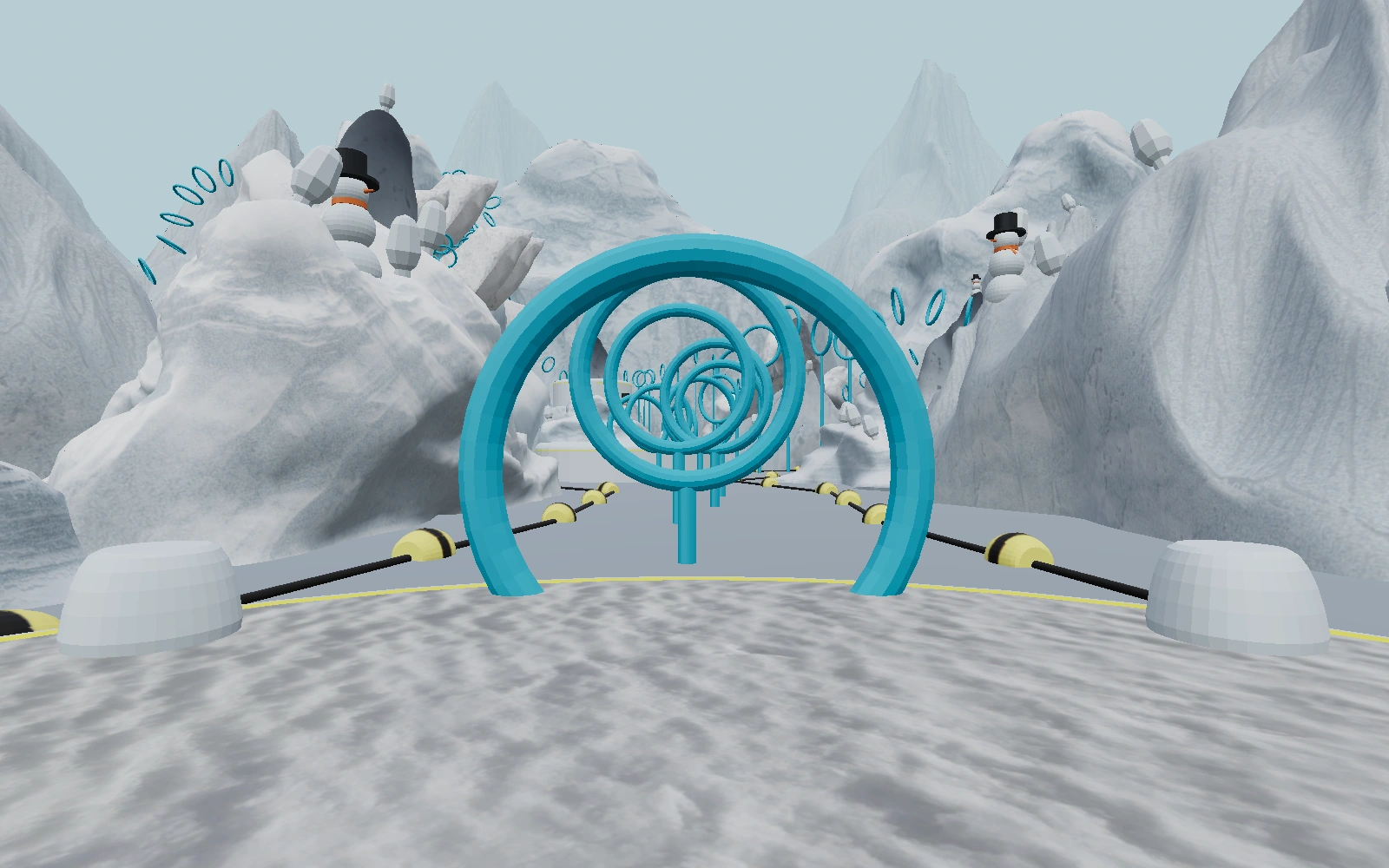
Car-soccer custom maps give you focused exercises outside a standard match. Choose a ring route to practice movement and changes of direction, or a dribbling challenge to work on keeping the ball close. Repeat a difficult section at a manageable speed, then add boost once you can follow the route consistently.
The Garage lets you choose a vehicle body. After making a change, give yourself a few moments to become familiar with how the car looks in the camera view. Keep your practice goal simple enough that you can recognize progress during the session.
Beginner Tips for Better Touches and Defending
Approach from behind the ball when you want to send it toward the opposing goal. If you arrive from the side, expect the ball to move across the field instead. Before accelerating, imagine a line through your car, the ball, and your target. Adjust your approach while you still have room.
In car-soccer, boost is most useful when it supports a clear next move. Use a short burst to reach a loose ball or accelerate out of a turn. Ease off before contact if you need a softer touch. After a shot, turn toward the next play so you can follow the rebound or recover to defend.
When defending, try to stay between the ball and your goal. If you miss a challenge, turn back toward a useful defensive position rather than immediately chasing from behind. Watch replays for one specific lesson, such as approaching too quickly or leaving the goal exposed. Explore the car-soccer tips and updates for more practice ideas.
Car-Soccer Questions and Troubleshooting
Can I play car-soccer online without installing a game?
You can play car-soccer online from this page without installing a separate game application. JavaScript is required to load and run the interactive arena. Select Play Car-Soccer, wait for the game to finish loading, and check the available modes and controls before starting your session.
Can I play alone or invite friends?
Both options are available: solo 1v1 for individual play and online rooms for a shared session. The room interface supports up to five players. Use the room code or invite link to bring friends into the same room.
What should I do if the controls do not respond?
First, click inside the game area and close any menu covering it. Check the Controls panel for the current bindings. If the game still does not respond, try reloading the page; a reload can interrupt your current session, so let other players know first.
Can I use a phone or tablet?
The page has layouts for smaller screens, but layout support alone does not guarantee complete touch controls. The instructions above describe keyboard and mouse play. On a phone or tablet, check the available controls before joining a match.
What if the arena loads slowly or a room disconnects?
Give the initial game assets time to load and check your internet connection. Close other demanding browser tabs if performance is poor. For room issues, confirm the room code and connection status again. Rejoin if necessary, and use solo play to check whether the problem affects the game generally or only the shared session.